Press-ready halftones,
screened inside Photoshop.
Turn continuous-tone CMYK artwork into true 1-bit-per-channel separations with FM / stochastic screens engineered for commercial print — no separate RIP required.

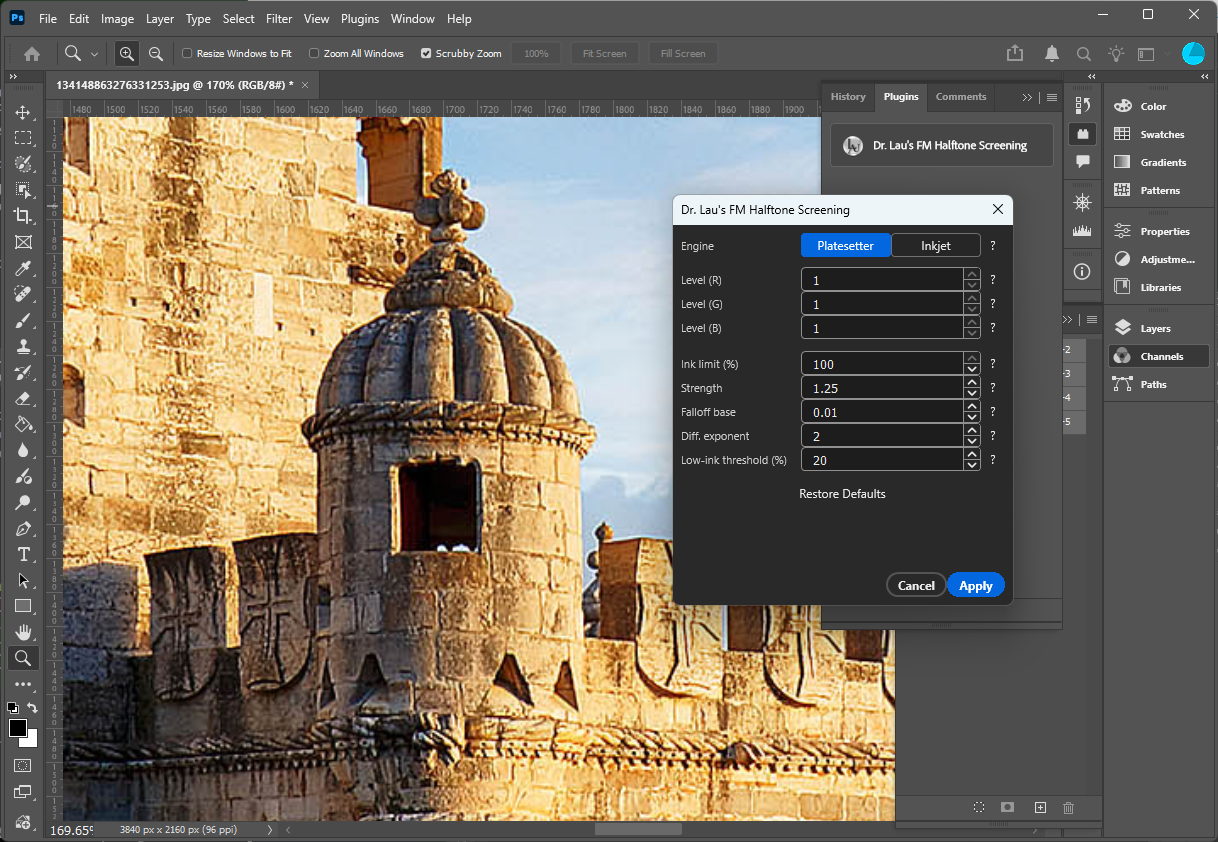
Frequency-modulated screening, not fixed-angle rosettes
Conventional amplitude-modulated (AM) screening lays ink as fixed-angle dots that can clash into moiré. These FM / stochastic screens place ink as finely dispersed dots — eliminating screen-angle moiré, holding fine detail and smooth gradients, and giving cleaner highlights and shadows on press.
No screen-angle moiré
Stochastic dot placement removes the rosette structure entirely, so there are no angles to interfere.
Sharper detail
Fine, dispersed dots reproduce edges, textures, and gradients more faithfully than a coarse AM cell.
In-place, one undo
Point it at a document and it screens every channel and writes the result back — ready for your RIP or device.
Pick the screen that matches your output device
Choose an engine from the dropdown; controls that don't apply to it hide automatically.
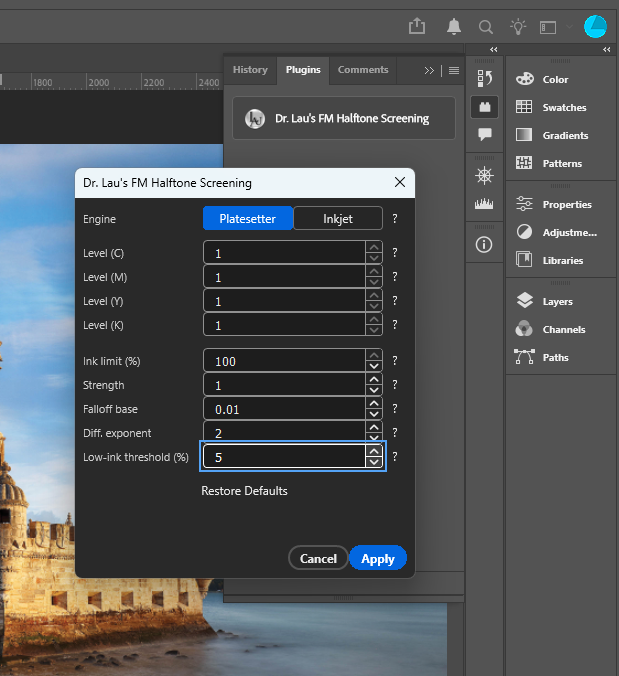
Random-hysteresis error diffusion
A per-channel error-diffusion screen with inter-channel overlap suppression, tuned for high-resolution imagesetter / CTP output where crisp, dispersed dots matter most. Adjustable hysteresis dials the texture from fully dispersed to lightly clustered.
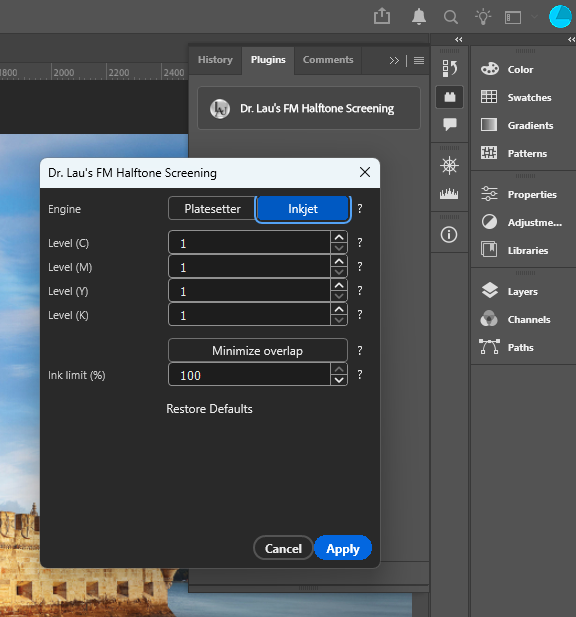
16-state CMYK overprint screen
A joint vector screen that decides all four inks together per pixel, with a physically-aware stacking constraint and an optional dot-off-dot "minimize overlap" mode. Ideal for flatbed and wide-format inkjet devices.
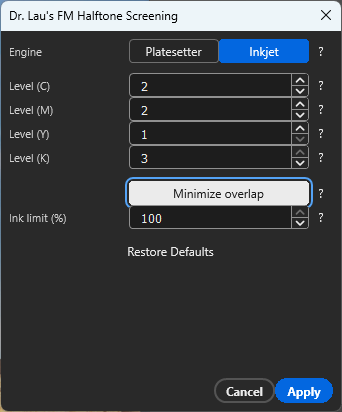
Built for modern Epson photo inkjets
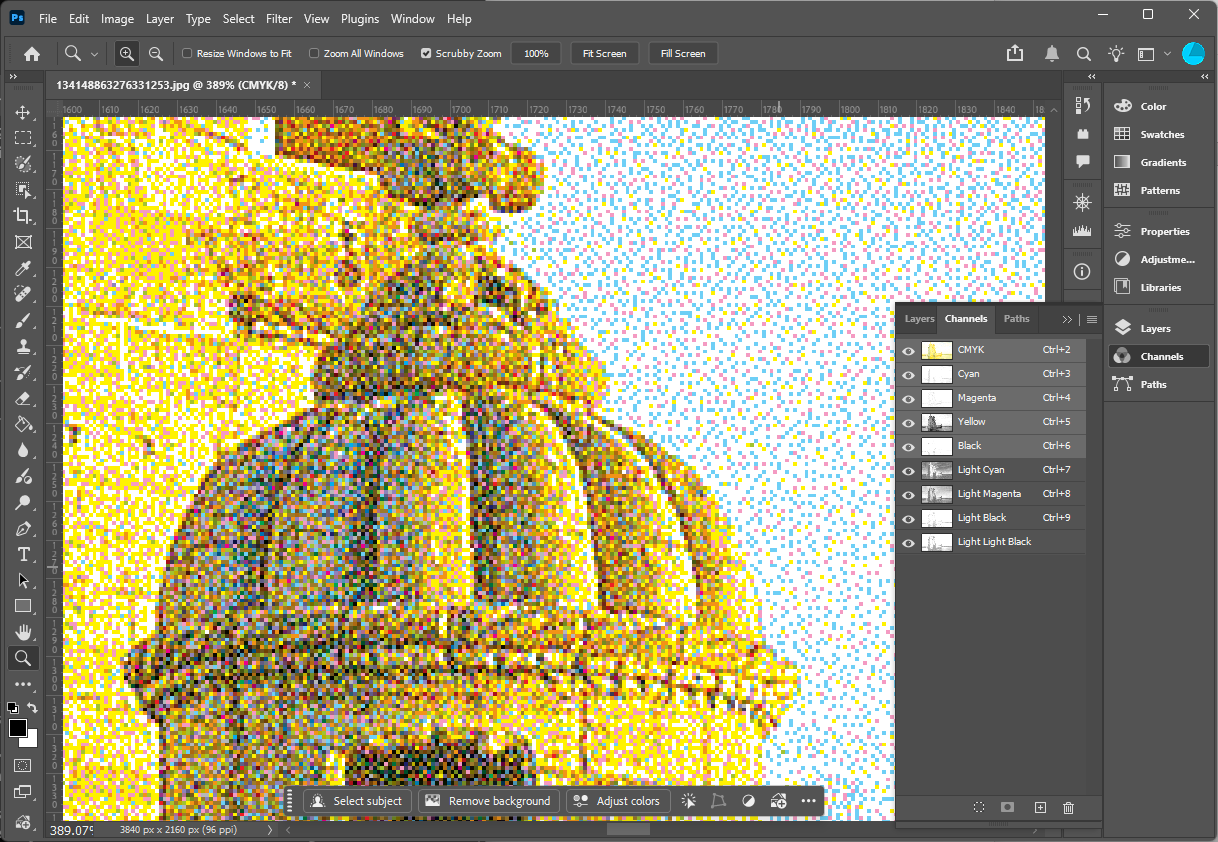
Today's desktop photo printers don't print with just C, M, Y and K. Epson's photo printers carry lighter variants of each ink — Light Cyan, Light Magenta, Light Black and Light Light Black — precisely to smooth highlights and erase the graininess that full-strength inks leave in delicate tones. This plugin separates a CMYK image into those exact inks, right inside Photoshop.
Dark, light & light-light
Split each process color into up to three density levels — full strength, light, and light-light — using the LAUSuperRIP multilevel curve.
Matches your printer's inks
Maps to the light-ink set of modern Epson desktop photo printers — e.g. the P600's LC, LM, LK and LLK alongside C/M/Y/K.
Pure spot channels
Each shade is written as a clean, single-colorant spot channel — Light Cyan carries only cyan, with no contamination from other inks.
What you get: a clean contone separation into the printer's light and light-light ink channels, so you can see and proof exactly which inks will be used and at what coverage — set per-channel levels (1–3) on the Inkjet engine and apply. More on light-ink separations →
Decide how the inks share the page
Whether two inks stack on the same spot or sit side by side changes density, gloss and grain on press. Both engines give you direct control over that trade-off — toward clean, dot-off-dot placement or toward richer overprint.
Hysteresis-driven dot-off-dot
The random-hysteresis term biases each channel's threshold against putting dots of different inks on the same pixel. Raise Strength to push inks apart for crisp, dispersed, dot-off-dot output; ease it toward 0 for plain green-noise error diffusion that lets the inks fall where they may.
The “minimize overlap” toggle
The joint 16-state screen can split overlapping ink combinations into non-overlapping ones (e.g. CMYK → CMY + K) by trading paper probability, so inks print side by side. Turn Minimize overlap on for cleaner, less-pooled coverage; leave it off for the natural overprint — denser and glossier.
When to minimize overlap: side-by-side inks suit substrates where stacked ink would pool, gloss unevenly, or push past a total-ink limit. Keep the natural overprint when you want maximum density and saturation. See the engines in detail →
Decades of imaging research, in one tool
These screens distill a research career in computational imaging and the science of digital halftoning — work recognized by elevation to Fellow of the IEEE, the institute's highest member grade. They're one applied corner of a broader program in machine learning and AI for imaging.
The dot-placement models, green-noise / stochastic dispersion, and overprint screening here aren't generic dither presets — they're the practical embodiment of peer-reviewed research into how ink actually lands on a printed page. You get production-grade screening that would normally live inside a dedicated RIP, delivered as a Photoshop plugin you can apply in seconds.
Anyone who needs press-ready 1-bit separations
Print & prepress shops
Drop-in FM separations for CTP and platesetter workflows.
Packaging & labels
Clean highlights and dot-off-dot control for demanding substrates.
Fine-art & photo printers
Smoothness and detail only well-designed stochastic screens provide.
License terms and privacy
End User License Agreement
The terms you agree to when you install and use the FM Halftone plugin — what you may do with it, and what is warranted.
Read the EULA →Privacy Policy
What the plugin does and does not collect. Your artwork is processed entirely on your own machine and is never uploaded.
Read the Privacy Policy →Ready to screen your first file?
Install the plugin, open a CMYK document, and apply a screen in three clicks.
Read the how-to guide →