Two engines, and the science behind them
Both engines run on the active document and write 1-bit results back in place. Here's what each one does, when to reach for it, and what every control changes.
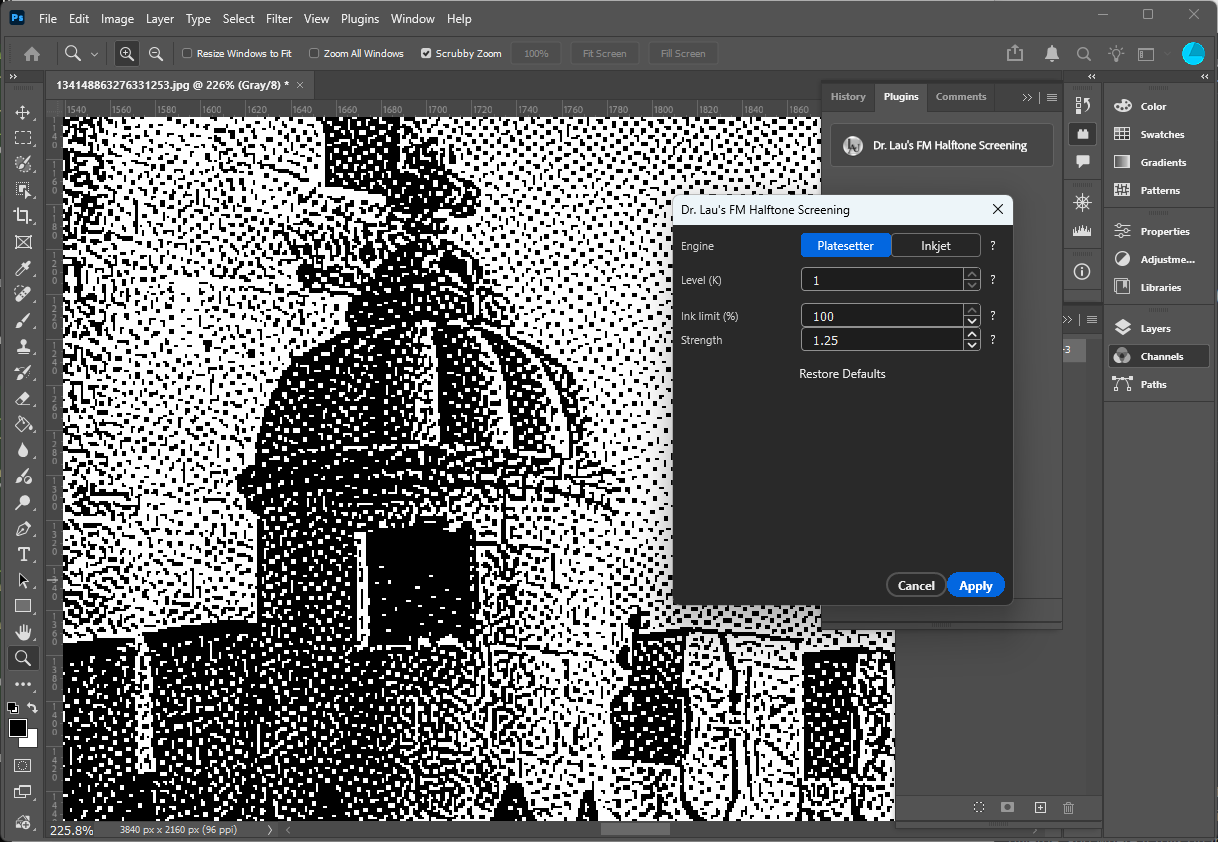
Random-hysteresis error diffusion
Per-channel error diffusion with inter-channel random-hysteresis overlap suppression. Built for high-resolution imagesetter / CTP output where crisp, dispersed dots matter most.
How it places dots
Each channel is screened with green-noise error diffusion. A hysteresis term derived from how close the C / M / K levels are biases the threshold against putting dots of different inks on the same spot — pushing the result toward dot-off-dot placement and away from overlap and moiré.
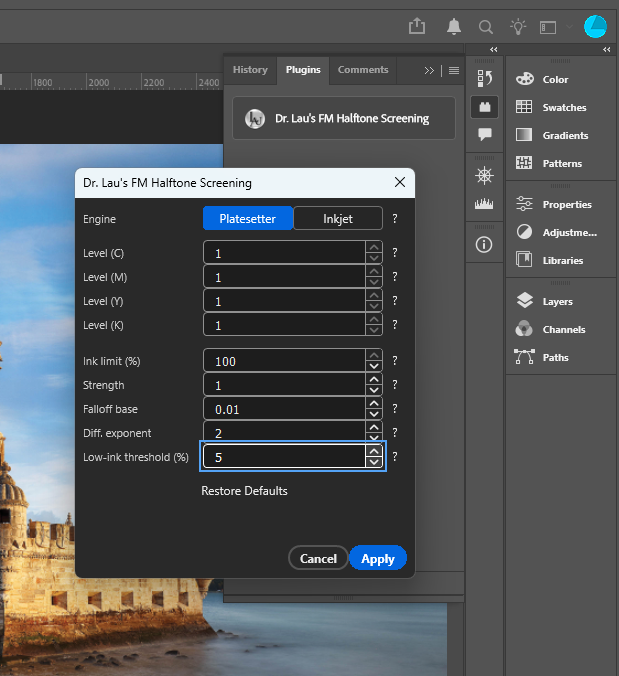
How much you can dial
Four hysteresis scalars control the texture: how strongly inks repel, how fast that repulsion falls off as two channels diverge, and where it rolls off in the highlights. Push them up for fully dispersed dots, ease them down for a lightly clustered look.
16-state CMYK overprint screen
A joint vector error-diffusion screen modeled on the flatbed-inkjet path: one decision across all four inks per pixel, with 2-D jittered (serpentine) diffusion.
Decides all four inks together
Instead of screening channels independently, each pixel chooses one of the 16 possible ink combinations (paper, C, M, Y, K, and every overprint) as a single vector decision — with a stacking constraint that keeps the choice physically printable.
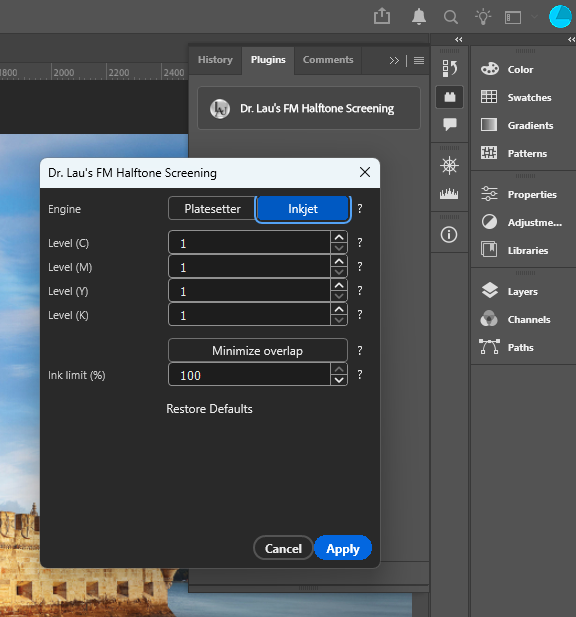
Overlap, your call
Minimize overlap splits overlapping combinations into non-overlapping ones (e.g. CMYK → CMY + K) by trading paper probability, so inks print side by side. Leave it off to keep the natural overprint, which lays down denser, glossier ink.
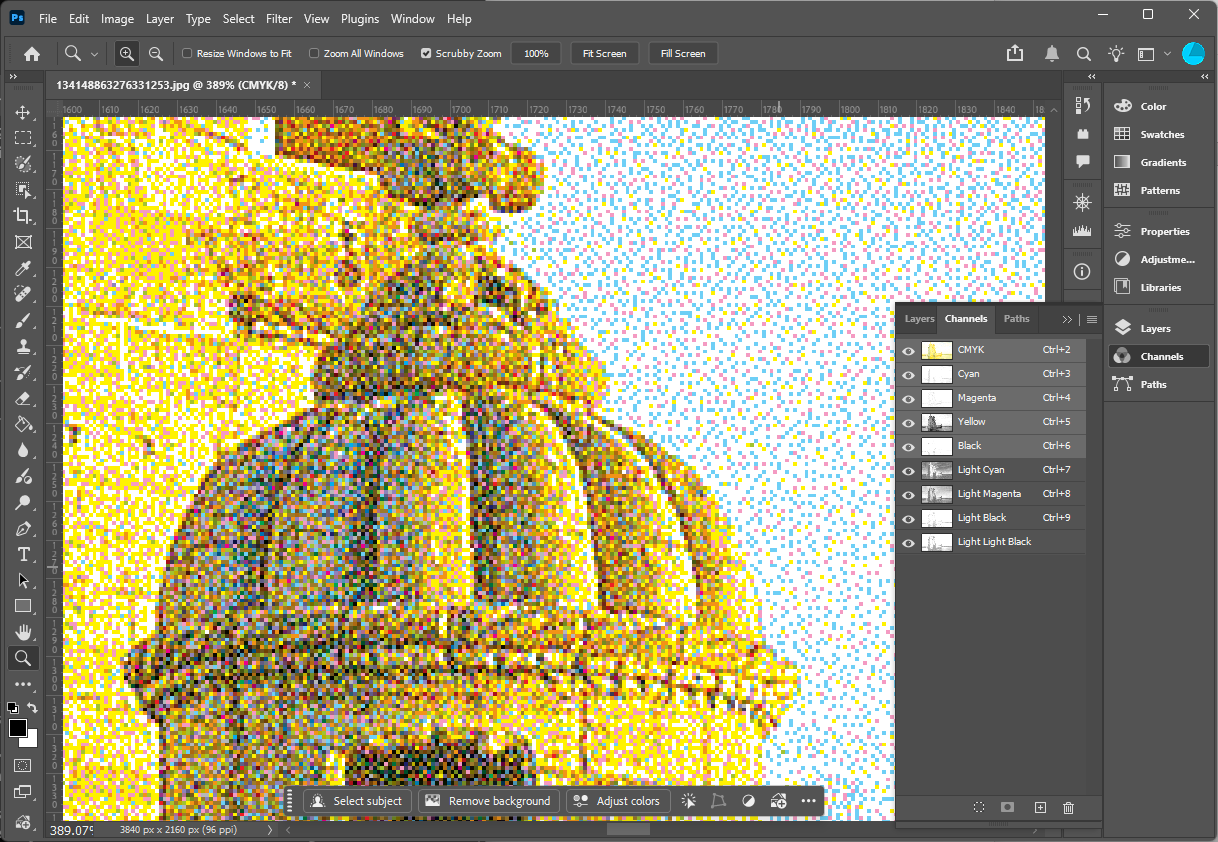
Light-ink separations for modern photo inkjets
Modern Epson desktop photo printers carry lighter versions of each ink to smooth highlights and cut the visible graininess that full-strength inks leave in delicate tones. This feature separates a CMYK (or RGB / Grayscale) image into those exact inks — dark, light, and light-light — right inside Photoshop.
How the split works
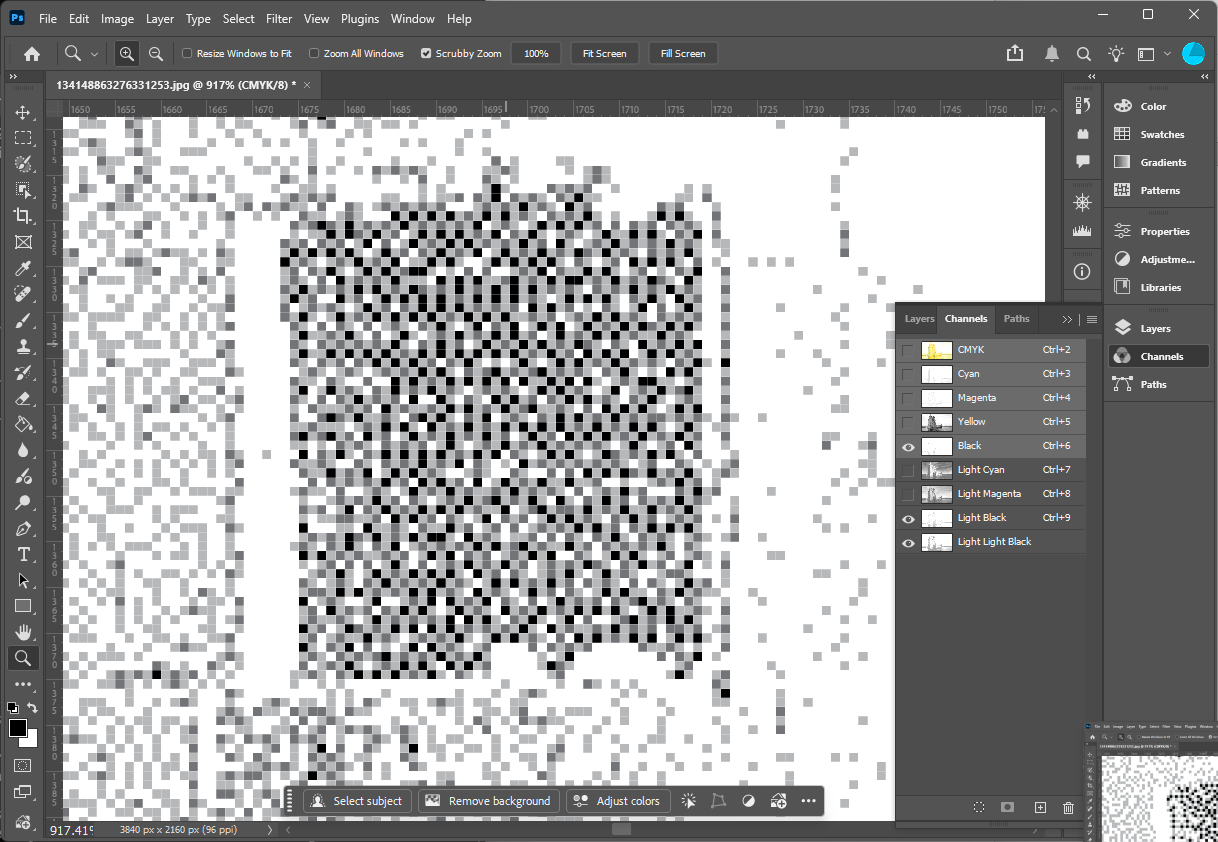
Set a level count of 1–3 per process color. Each color is split with the LAUSuperRIP multilevel curve: the original process channel is reduced to the darkest level, and each additional level adds a lighter spot ink — 2 = Color + Light, 3 = Color + Light + Light Light — with the channel's intensity reduced to account for the lighter inks.
Pure, proof-ready channels
Every shade is written as a pure single-colorant spot channel —
Light Cyan, Light Light Black, and so on —
named and ordered to match the printer's ink set. The result is a
clean contone separation you can view and proof,
showing exactly which inks will be used and at what coverage.
Example: Epson P600 ink set
Choose the level count per channel to match the lighter inks your
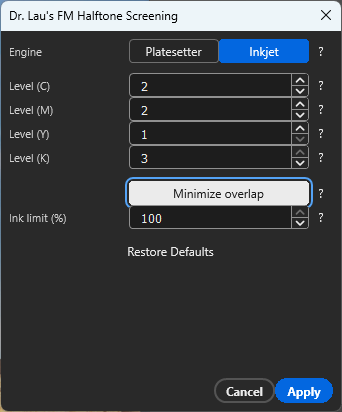
printer loads. A typical P600 mapping (C M Y K = 2 2 1 3):
| Process color | Levels | Inks produced (light → dark) |
|---|---|---|
| Cyan | 2 | Light Cyan → Cyan |
| Magenta | 2 | Light Magenta → Magenta |
| Yellow | 1 | Yellow (no light variant) |
| Black | 3 | Light Light Black → Light Black → Black |
Good to know: spot levels are an Inkjet-engine control (the Platesetter engine locks every level to 1). The separation is contone — a faithful preview of the ink split — so you can build and proof the light-ink channel set before committing to output.
Every control, explained
The panel hides controls that don't apply to the current engine. Each one also has a ? help button in the plugin.
| Control | What it does |
|---|---|
| EngineBoth | Chooses the halftone screen — Platesetter (per-channel error diffusion with inter-channel hysteresis) or Inkjet (joint 16-state CMYK overprint with 2-D randomized diffusion). |
| Ink limit (%)Both | Scales every channel's coverage before screening. 100% uses the full tonal range; lower values cap the maximum ink laid down — useful to stay under a press's total-ink limit. |
| StrengthPlatesetter | Overall amplitude of the inter-channel hysteresis. Higher values push dots of different inks apart more strongly (dot-off-dot). 0 disables overlap suppression, leaving plain error diffusion. |
| Falloff basePlatesetter | Base of the exponential that converts a channel difference into hysteresis: term = strength × base^(exponent × |Δchannel|). A smaller base makes the hysteresis fall off faster as two channels diverge. |
| Diff. exponentPlatesetter | Multiplies the channel difference inside the falloff exponent. Higher values make hysteresis drop more sharply as channels diverge, so suppression applies only where inks are very similar. |
| Low-ink threshold (%)Platesetter | Below this coverage the hysteresis is smoothly rolled off toward zero, so highlights aren't over-clustered. 0 disables the rolloff. |
| Levels (per channel)Inkjet | Number of density levels (1–3) to split each process color into, using the LAUSuperRIP multilevel curve. 1 = the color only; 2 = Color + Light; 3 = Color + Light + Light Light. Each extra level adds a pure light-ink spot channel. See light-ink separations. |
| Minimize overlapInkjet | When on, overlapping ink combinations are split into non-overlapping ones (e.g. CMYK → CMY + K) by trading paper probability, so different inks tend to print side by side rather than stacked. Off keeps the natural overprint — denser, glossier ink. |
| Restore DefaultsPlatesetter | Resets the four hysteresis scalars to their tuned starting values. |
Note: the hysteresis parameters have no effect on grayscale documents — the single channel is treated as the K role, which carries no hysteresis. Only Ink limit applies there.
CMYK, RGB and Grayscale
Full four-ink screening
Every channel is screened with the chosen engine and written back. The document is flattened as part of the channel write.
R/G/B as C/M/K
Read directly; the three channels are treated as the C, M and K roles (yellow ignored), halftoned, and written back in place.
Single K channel
The one channel is treated as CMYK's K and run through the Platesetter screen (plain error diffusion). The Engine selector doesn't apply.
See it in your workflow
The how-to guide walks through installing, loading and running the plugin per document mode.
Open the how-to guide →